
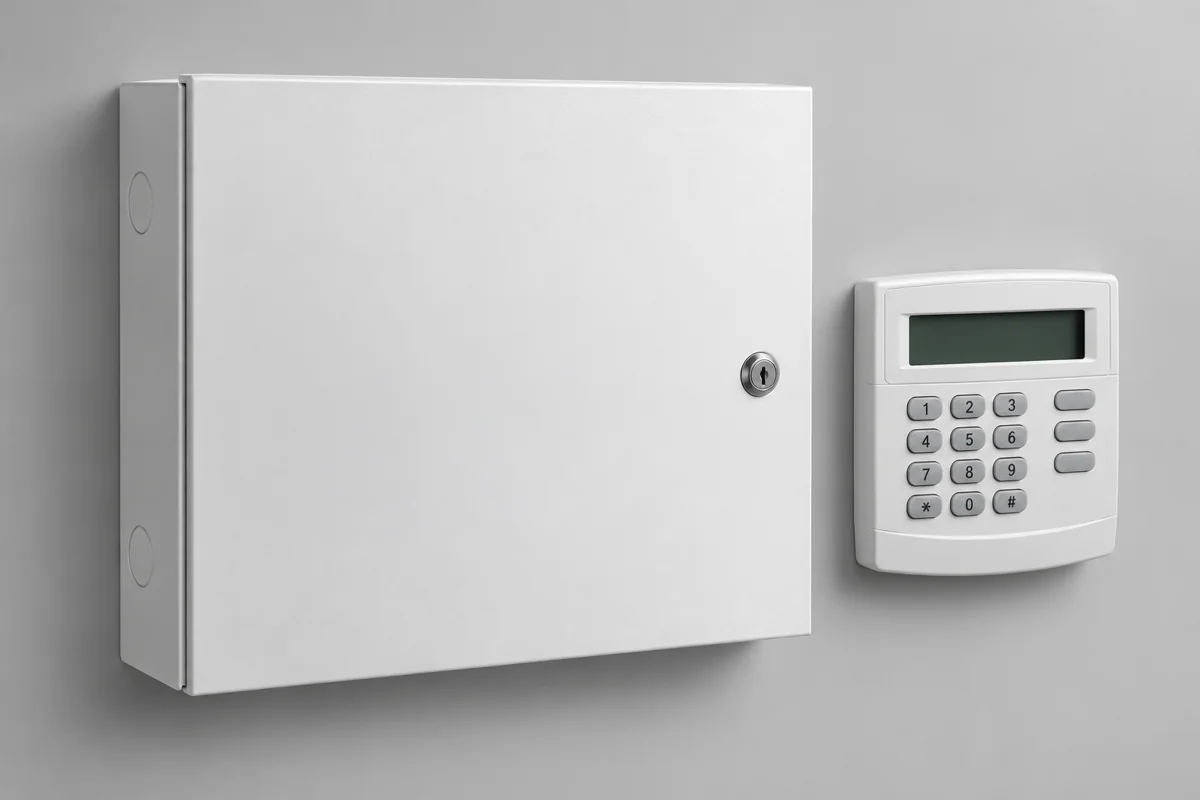
What is this course about?
Recognise common alarm equipment and learn the safe next step when an event or fault appears. Easy-English lectures, Urdu term help, device pictures and small drills prepare beginners for supervised learning and better workplace communication.
Learn security and alarm basics in easy English with 10 illustrated modules, 40 small drills, 50 quiz questions and 3 real-world planning projects.
Where you can use the skills
- A shop security concept and incident pack.
- A training-centre tabletop fire-awareness briefing.
- A warehouse observation and fault handover.
These are application ideas for your learning and portfolio. The published curriculum below shows the actual lessons and projects.
What you will work towards
Name detectors, panels, sounders and supporting devices.
Read a simple zone list and write factual event reports.
Understand safe escalation and emergency-plan awareness.
Prepare a shop, training-centre or warehouse planning pack.
Who is this course for?
- Matric or FSc students from Urdu- or English-medium backgrounds.
- Beginners exploring a safety and security learning direction.
- Learners preparing for further supervised vocational training.
Before you start
Basic reading and willingness to practise short English reports. No electrical experience is required because the online drills use paper and browser simulations.
Know your alarm devices
Learn the name, its job and one simple example. Not every item is an alarm: some detect, some control, some supply power and some give a warning.
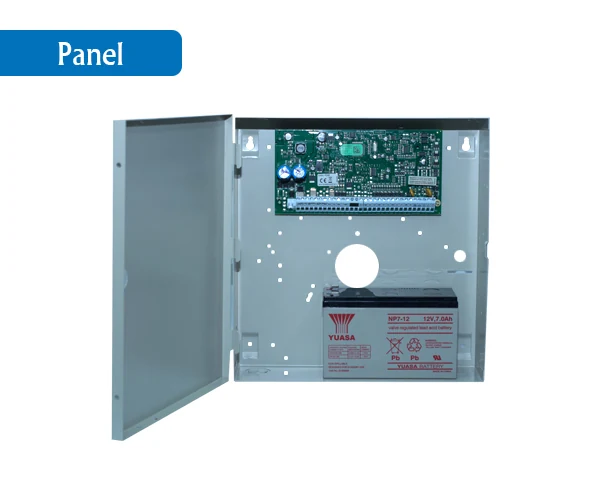
Alarm control panel
What it does: Receives device signals and shows system information.
Simple classroom example: A paper event log says Z1 Entrance. The panel is the control unit that processes the event.
Which part receives information from several detectors?
The alarm control panel.
This source photo shows an open enclosure for recognition. Do not open, wire or handle a real panel.
Study module 2 →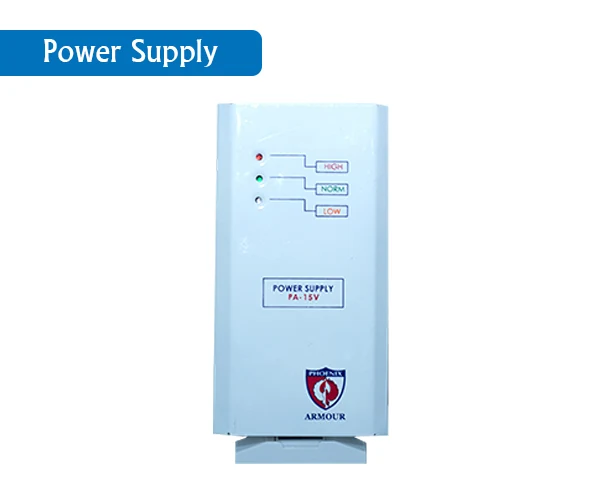
Power supply
What it does: Provides the specified electrical supply for compatible equipment.
Simple classroom example: A fictional label has a voltage requirement. A competent person must verify the correct supply.
Should we choose a supply just because it looks similar?
No. The specifications and compatibility must be checked by the responsible competent person.
Picture recognition only. No connection, isolation or electrical testing is authorised by this lesson.
Study module 3 →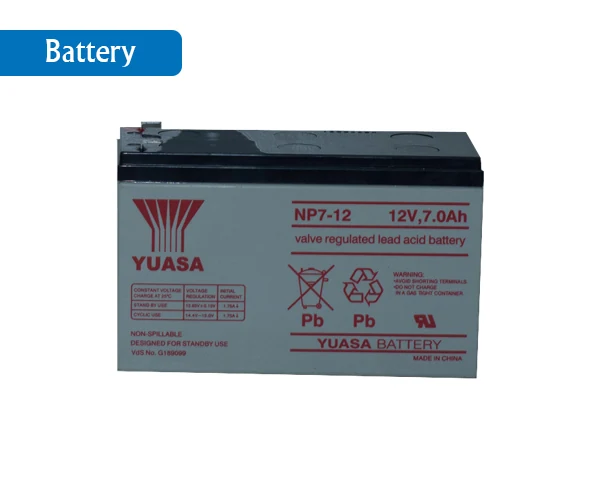
Backup battery
What it does: Stores energy for backup operation in a suitable system.
Simple classroom example: A backup-power fault is shown in a fictional report. Record and escalate it; do not handle a battery.
Does backup power mean a system will run forever?
No. The equipment and battery condition determine its limited backup capability.
Stored energy can cause harm. Do not touch terminals or use the pictured ratings as a replacement specification.
Study module 9 →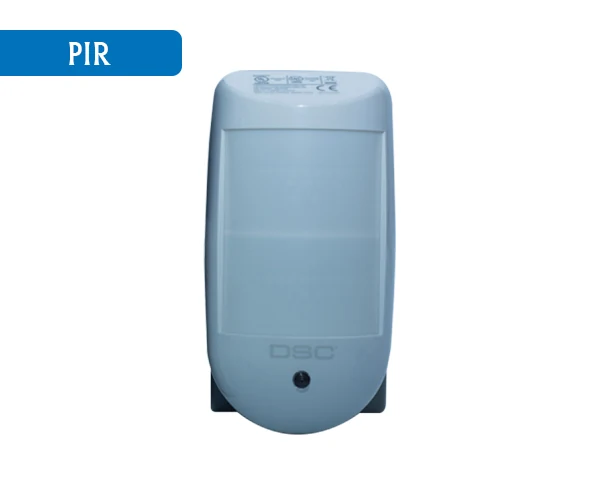
PIR motion detector
What it does: Senses changes in infrared energy in its designed coverage area.
Simple classroom example: The paper log shows a stock-room motion event. Record the event without guessing a person’s identity.
Is a PIR a camera that recognises people?
No. It is a detector, not an identity camera.
Actual coverage and installation depend on the model and approved design.
Study module 4 →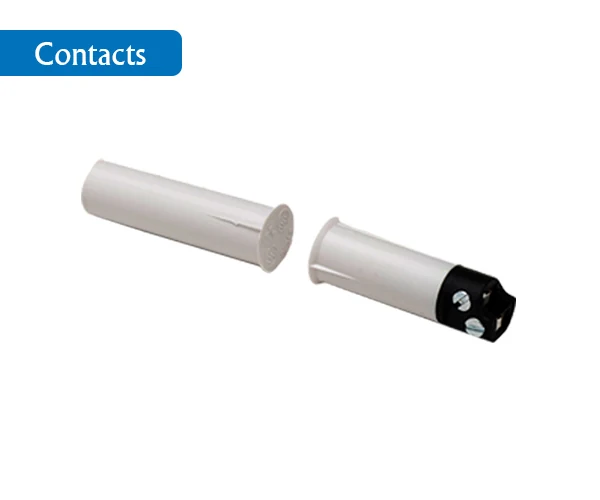
Door / window contact
What it does: Reports a change associated with a monitored door or window.
Simple classroom example: A fictional entrance is shown open. Follow the approved review process; do not bypass the zone.
Why are there commonly two parts in a magnetic contact?
The sensing part and magnet work as a pair; the exact operation is model-specific.
This picture is a recognition example, not a mounting or wiring guide.
Study module 4 →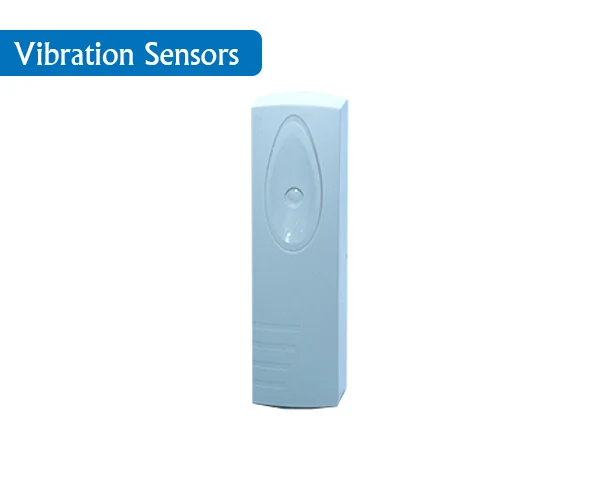
Vibration / shock sensor
What it does: Senses specified vibration or impact conditions in its intended application.
Simple classroom example: A fictional report records a vibration event at a labelled location. It does not prove forced entry.
Does a vibration event prove a crime happened?
No. Record the observed event and follow the authorised response process.
Do not strike a real surface, adjust sensitivity or test equipment as part of this course.
Study module 4 →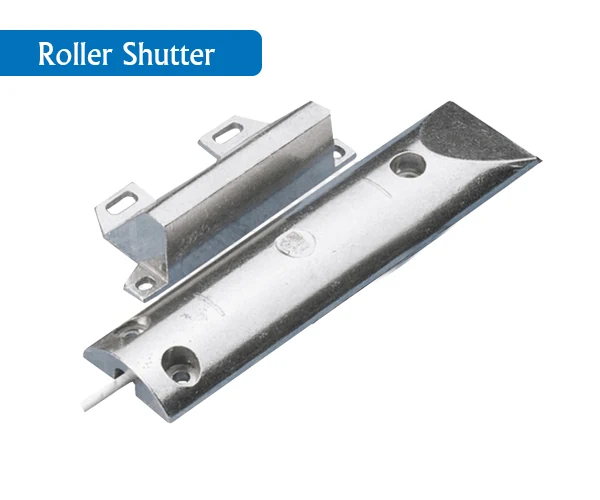
Roller-shutter contact
What it does: Monitors a shutter position or state using a suitable contact arrangement.
Simple classroom example: A shop shutter appears on your paper zone list. Give it a clear location label.
Should a shutter contact and a motion detector have the same job in our list?
No. A contact relates to a monitored opening or position; a motion detector senses movement-related conditions.
Suitability, positioning and installation must follow the correct model documentation and design.
Study module 4 →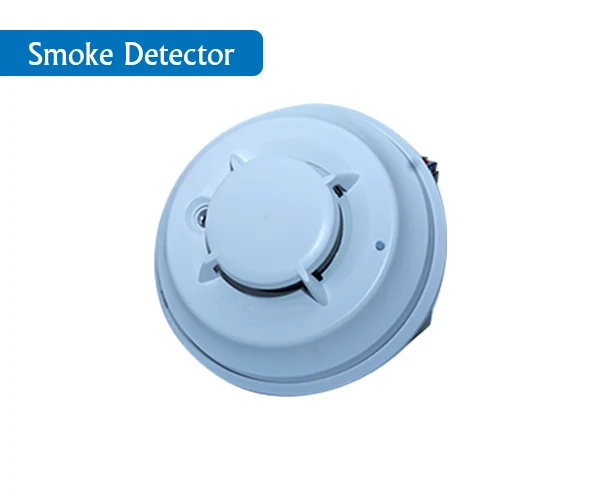
Smoke detector
What it does: Detects smoke-related conditions using its specified sensing method.
Simple classroom example: For a real fire warning, follow the site evacuation instructions. Our exercise stays on paper.
May we make smoke to try this device in class?
No. Use the course’s paper and browser exercises only.
A pictured detector alone does not establish a compliant fire-warning system or approved location.
Study module 5 →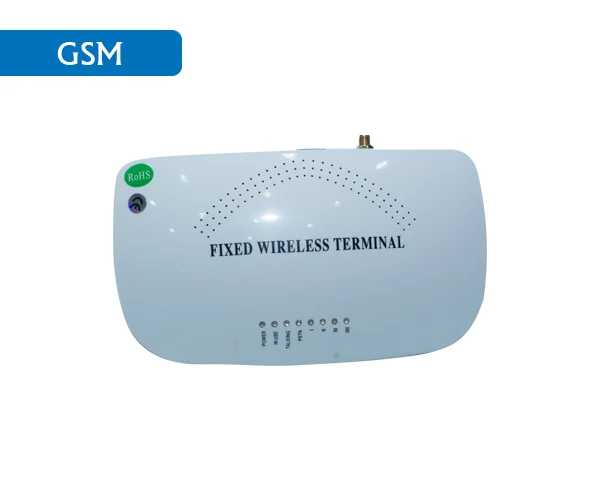
GSM / cellular communication device
What it does: Provides a supported communication path using a cellular service.
Simple classroom example: The fictional panel shows a communication fault. Report it without claiming that remote monitoring works.
Does a communication device guarantee a police response?
No. The equipment, network, service arrangements and authorised response process all matter.
GSM is the source label. Supported network technology, coverage and service availability must be checked for an actual model.
Study module 9 →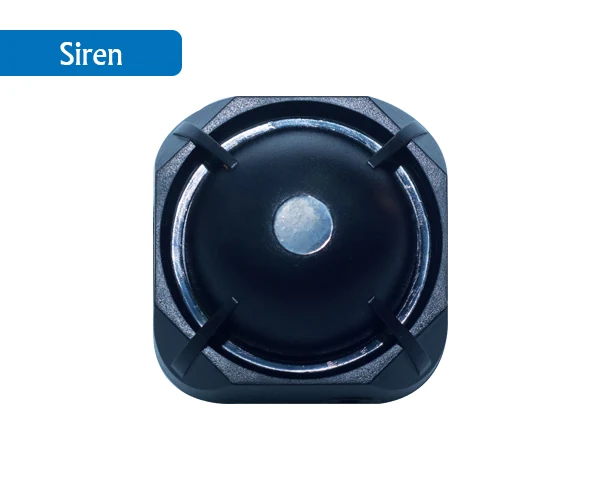
Siren / sounder
What it does: Produces an audible warning when the system commands it.
Simple classroom example: An approved system may use a sounder as an output. Follow the site plan when a real warning occurs.
Is a siren an input or an output?
It is a warning output.
A security sounder is not automatically approved for fire-warning use. Do not activate a real unit as practice.
Study module 2 →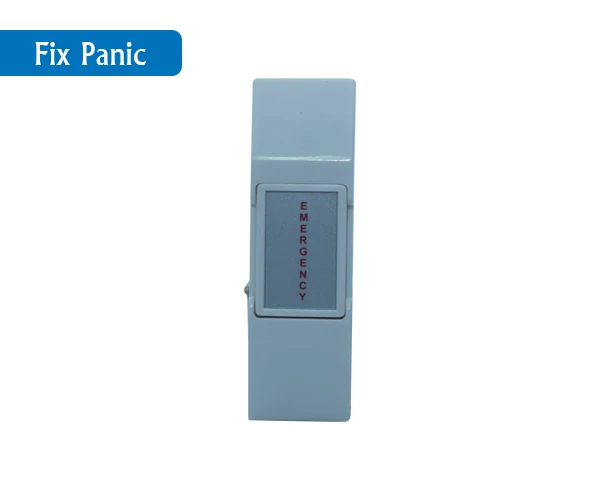
Fixed panic button
What it does: Lets an authorised person request assistance under the site procedure.
Simple classroom example: On paper, identify it as a manual security input. Do not press a real panic button to practise.
Is a security panic button the same as a fire alarm call point?
No. Their purposes and response procedures differ.
Follow the actual site procedure. Do not assume that pressing a button guarantees any particular response time.
Study module 7 →Product reference images and source labels: Phoenix Group of Companies · Alarm Devices ↗. Classroom explanations are written by Cody.pk. Pictures identify equipment, not installation procedures or a product recommendation.
See the complete list of 11 devices and their jobs
| Device | Role | Simple job |
|---|---|---|
| Alarm control panel | Control | Receives device signals and shows system information. |
| Power supply | Power | Provides the specified electrical supply for compatible equipment. |
| Backup battery | Power | Stores energy for backup operation in a suitable system. |
| PIR motion detector | Automatic input | Senses changes in infrared energy in its designed coverage area. |
| Door / window contact | Automatic input | Reports a change associated with a monitored door or window. |
| Vibration / shock sensor | Automatic input | Senses specified vibration or impact conditions in its intended application. |
| Roller-shutter contact | Automatic input | Monitors a shutter position or state using a suitable contact arrangement. |
| Smoke detector | Fire detection input | Detects smoke-related conditions using its specified sensing method. |
| GSM / cellular communication device | Communication | Provides a supported communication path using a cellular service. |
| Siren / sounder | Warning output | Produces an audible warning when the system commands it. |
| Fixed panic button | Manual security input | Lets an authorised person request assistance under the site procedure. |
Your course curriculum.
10 modules · 40 drills · 50 quiz questions · 3 final projects.
01Start safely: people, permission and hazards
Spot danger and know when to stop and ask.
- Safety before tools
- Know your role
- Ask three questions
- Use a safe practice space
02Meet the system: devices, panel and zones
Name the main parts and explain the signal path.
- What a security alarm does
- What a control panel does
- What a zone means
- Power and communication
03Basic electrical words and simple drawings
Read basic labels without connecting or testing circuits.
- Voltage and current
- AC, DC and polarity
- Contacts and diagrams
- Know when to refer
04Intruder alarms: door contacts and motion
Understand event locations and respond without taking risks.
- Door contacts
- Motion detectors
- Read the state
- Prevent confusion
05Fire warning and evacuation awareness
Recognise a fire warning and follow the site emergency plan.
- Fire and intruder systems differ
- Act on a warning
- Keep routes clear
- Tests need control
06CCTV observation and respectful records
Describe a camera view and handle information responsibly.
- Camera and recorder
- Check the view on a drawing
- Privacy matters
- Write what you can see
07Access control, visitors and safe exits
Understand entry permissions without compromising emergency escape.
- Access means permission
- Visitor checks
- Be polite and firm
- Exit safety is different
08Site sketches, labels and materials lists
Prepare a clear concept plan and a simple list for review.
- Observe with permission
- Make the plan readable
- Give each item one ID
- Count before pricing
09Test planning, faults and maintenance records
Record issues and prepare a controlled test plan for review.
- Test planning is not permission
- Coordinate first
- Record a fault clearly
- Maintenance is organised
10Workplace English, incident reports and handover
Give a clear message and prepare evidence for supervisor review.
- Use short factual sentences
- Ask and repeat back
- Hand over properly
- Prepare for work responsibly
Three real-world projects
A small shop: security concept and incident pack
A fictional shop has an entrance, a sales room and a stock room. It needs an understandable security concept and a simple handover. Your work is a planning exercise, not an installation design.
Open project brief →A training centre: fire-awareness tabletop briefing
A fictional training centre has two classrooms, a reception and a designated assembly point. Prepare a discussion pack for a supervisor. Do not design a real fire system or operate any alarm.
Open project brief →A warehouse: daily observation and fault handover
A fictional warehouse has gate G1, reception R1, storage S1, camera C1 and panel P1. Prepare a shift pack that a supervisor can review. Use fictional people and no real footage or access details.
Open project brief →This course is for introductory awareness and supervised learning. It is not NEBOSH or IOSH, an occupational licence or a job guarantee. These separate future offerings are not open for enrollment.
Scope in Pakistan, the Gulf and abroad
Use these directions to plan your next steps. They are learning and portfolio suggestions, not a list of current vacancies or a guarantee of employment.
Pakistan
Explore further supervised training with security-system or facilities organisations. Use the course to recognise equipment and communicate clearly; it does not authorise independent installation or servicing.
Gulf countries
For Gulf plans, ask the actual employer about recognised training, competence and any local approval requirements. This introductory course is not a security licence, an electrical qualification, NEBOSH or IOSH.
Other countries & remote work
The U.S. installer occupation below is a broader professional comparison only. Practical competence and country-specific requirements go beyond this awareness course.
Security and Fire Alarm Systems Installers — United States
A broader occupation to research as you build experience. These figures describe U.S. employees across experience levels, not earnings after this course.
| 10th percentile | Median | 90th percentile |
|---|---|---|
| $18.65/hr | $28.88/hr | $39.01/hr |
Percentiles show points in a wage distribution; they are not minimum or maximum offers. This is not beginner pay or a freelance quote. Pakistan and Gulf offers depend on the actual role, experience and package; no universal local USD/hour rate is claimed.
View the original occupation wage table ↗Source checked 2 November 2026.For current Gulf-market research, see the Hays GCC Salary Guide 2026. Confirm the specific employer’s duties, required experience and entry conditions before relying on an offer.
Frequently asked questions
Will students practise wiring or live alarm tests?
No. Activities use fictional paper plans, pictures and browser simulations. Real installation, isolation and testing require authorised competent professionals.
Is this a NEBOSH or IOSH course?
No. It is an introductory Cody.pk Security & Alarm Systems course. NEBOSH and IOSH are separate future offerings and are not open for enrollment here.
What learning materials are included?
Ten opening lectures, ten modules, 40 drills, 50 quiz questions, equipment-reference pictures and three real-world planning projects are included.
Which learning modes can I request?
Self-study, tutor support, onsite classes near GPO in Sadar, Rawalpindi Cantt, and online classes via Google Meet. Admin confirms available guided class slots before payment.
What is the course fee?
PKR 30,000 is the listed total course fee. Confirm the agreed fee, duration, learning mode and schedule with Cody.pk before paying.
What can I see before enrolling?
The course description, curriculum outline, fees and public guides are available to browse. The editor, exercises and study materials require the relevant active enrollment, including any free place assigned by admin.
How do I apply and get access?
Apply with this course selected, your name, email and WhatsApp number. Choose your mode and, where required, an available class slot. Submit payment details through checkout. Access opens after admin verifies the payment and activates the enrollment.
Can I download study materials?
The student workspace shows materials for your enrolled course. Course-bundle downloads are available when admin enables download permission for your enrollment.
Are the international hourly figures a job or income promise?
No. They are 2025 U.S. employee occupation statistics, covering different experience levels. They are not beginner pay, freelance billing rates, Pakistan or Gulf offers, or a prediction of income after this course.
Course conversation
Questions and learning experiences about Security & Alarm Systems.
Join the conversation
Keep it helpful and relevant. Comments appear after admin review. Your public name and comment may be displayed; your account email is visible only to admin. Please leave out phone numbers and private details.
Choose your pace. Make a start.
Request self-study, tutor support, onsite classes or online Google Meet classes. Guided modes use admin-managed class slots. Confirm your agreed fee and schedule before payment.
- ApplySend your name, email, WhatsApp and learning goals.
- Confirm the planAgree your mode, available slot and fee with Cody.pk.
- Pay & startPayment verification and activation open the enrolled course.
Manual Easypaisa: Rashid Irshad · 03145366708. Raast ID: 03145366708. Use the course checkout to confirm the amount and submit your payment reference for verification.
Start a useful conversation.
No published comments yet. Ask about the course or share your learning experience.